
Create and edit links
Paste a URL into the bar on Links and press Create link. The link is live immediately on the workspace’s default domain.
Click any link in the list to open the editor. The address bar keeps the open link, so you can reload or share the URL with a teammate.
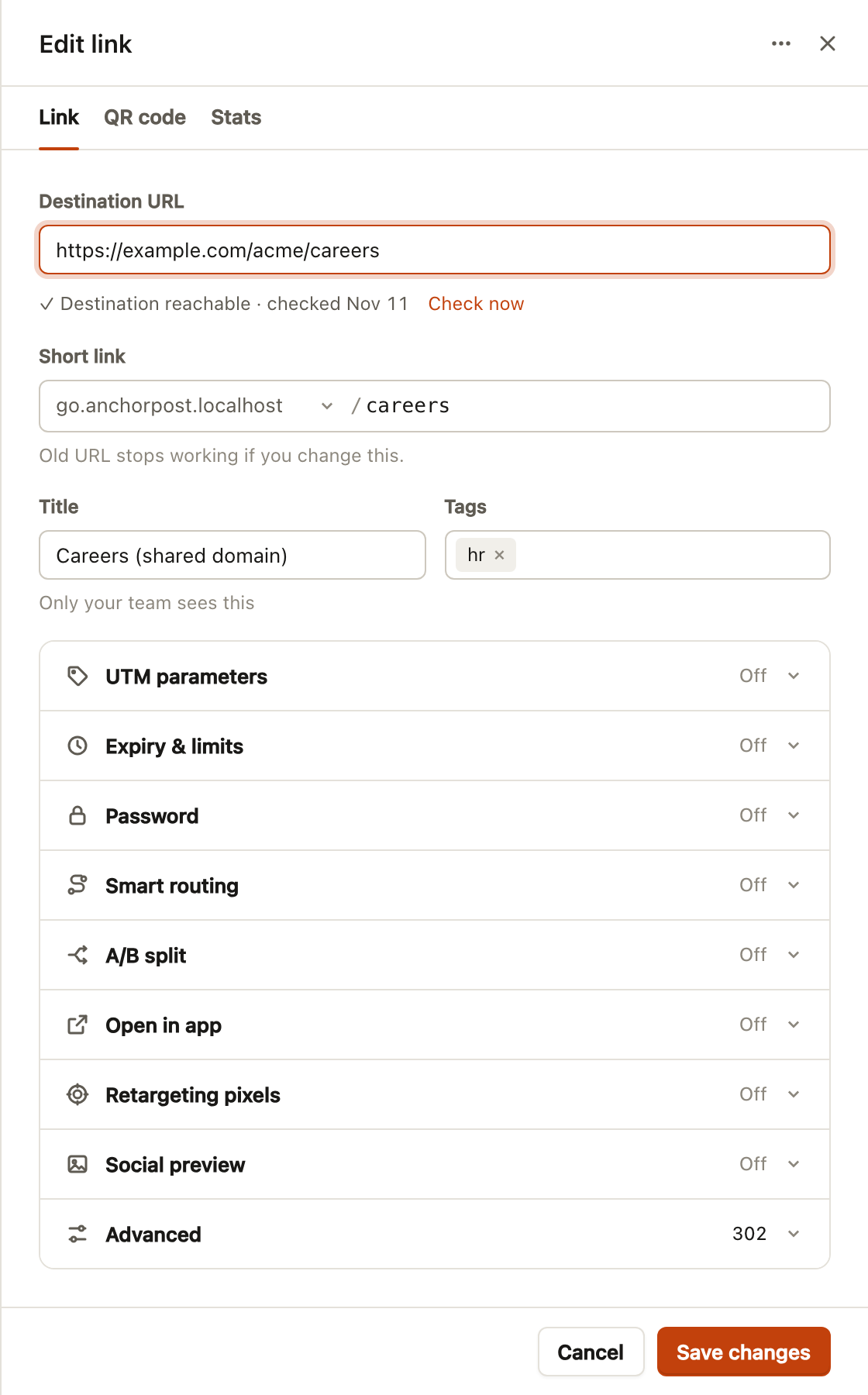
Sections
Section titled “Sections”- Short link: domain and slug. Changing the slug changes the URL, so the old one stops working; the editor warns you.
- Title and tags: only your team sees these.
- UTM parameters: source, medium, campaign, with saved presets. See UTM builder.
- Expiry and limits: a date, a click count, or both, with a fallback URL. See Expiry and fallback.
- Password: a simple gate for decks and private pages. See Password links.
- Smart routing, A/B split, Open in app: where visitors land depending on device, country, chance and app. See Routing.
- Retargeting pixels: switch on the pixels added under Pixels.
- Social preview: title, description and image shown when the link is shared, per platform. See Link previews.
- Advanced: 301 or 302. See Redirect types.
The QR code tab styles and downloads the link’s code; the Stats tab shows its own analytics with a period picker.
Edits reach the redirect servers within seconds. The short link and its QR code never change when you edit the destination.